Git exercices
Github
Go to this website and try to follow the tutorial: Github Tutorial
You can also look at the documentation in this link
Exercice 1
Create a branch
devanddev-fix. Create a file namedindex.htmlindev-fix, commit it. Mergedevwithdev-fixand deletedev-fixPush the
devbranch in Github.Modify the
index.htmlwith the user interface.Pull the branch in command line.
Add a new line in the
index.htmlfile. Commit it.Modify the file and commit with the
git commit --amend --no-editcommand to prevent the add of a new commit.Push the file in Github.
Merge the branch
devinmainand delete thedevbranch in both Github and local environment.
Exercice 2
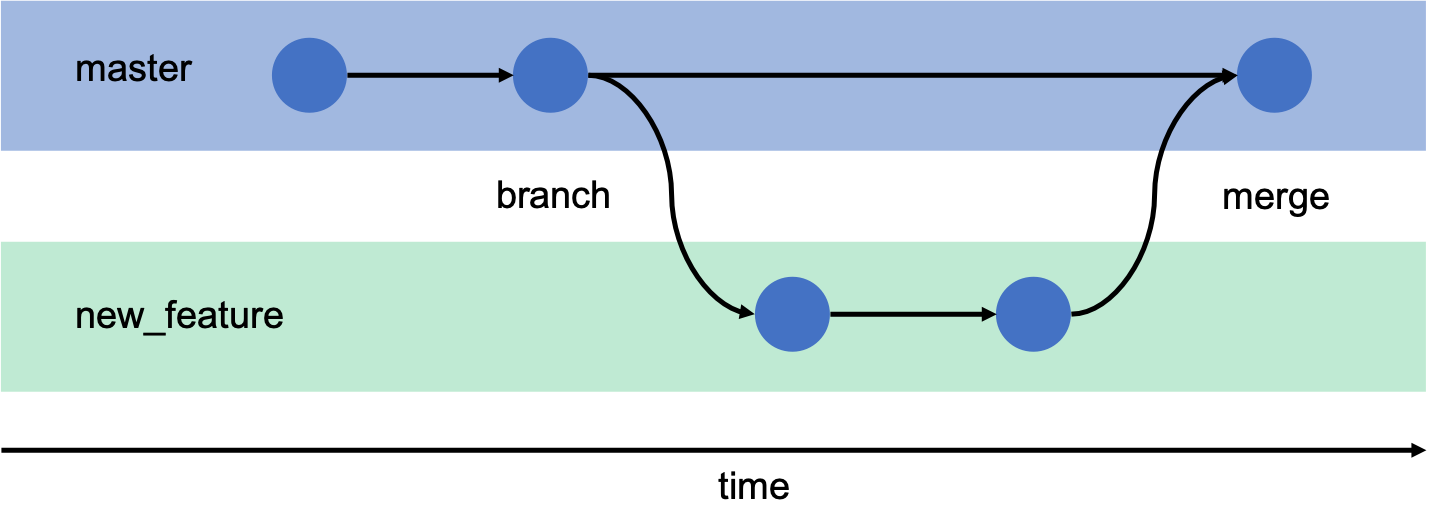
Reproduce this schema (master replaced by main):
Exercice 3
Reproduce this schema (with branch1 and branch2 as name for the two different branches):
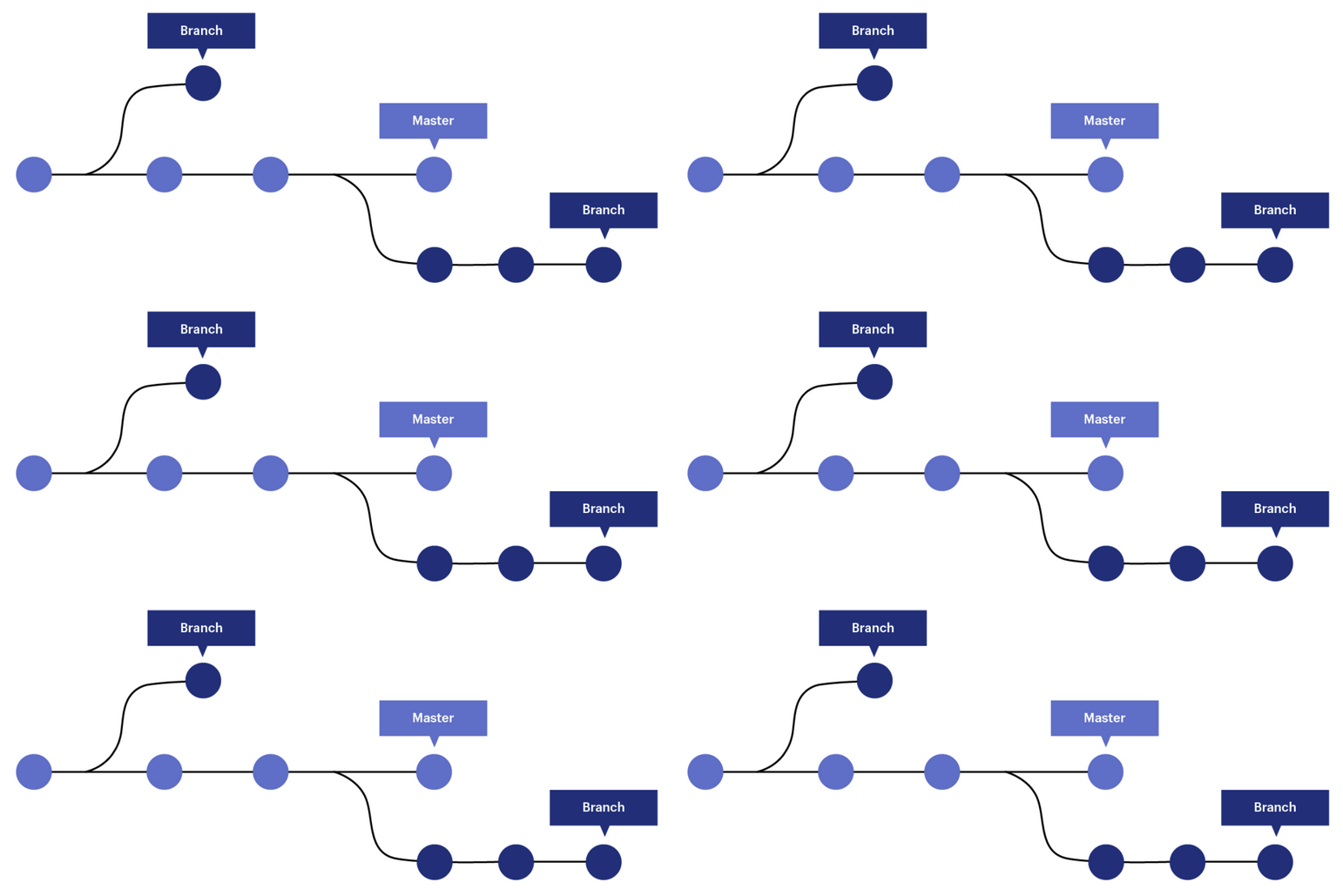
You can use the git log --graph --oneline --all command to see the tree of commits.